Best Interview Practice Apps for Remote Video Interviews
Interview practice apps for remote interviews simulate video-call conditions specifically — scoring not just answer content but on-camera delivery, since remote interviews are judged differently than in-person ones. A hiring manager watching you through a laptop camera is reading a flatter, more compressed version of you. Most candidates never practice for that compression. They rehearse what they’ll say and skip how they’ll look saying it.
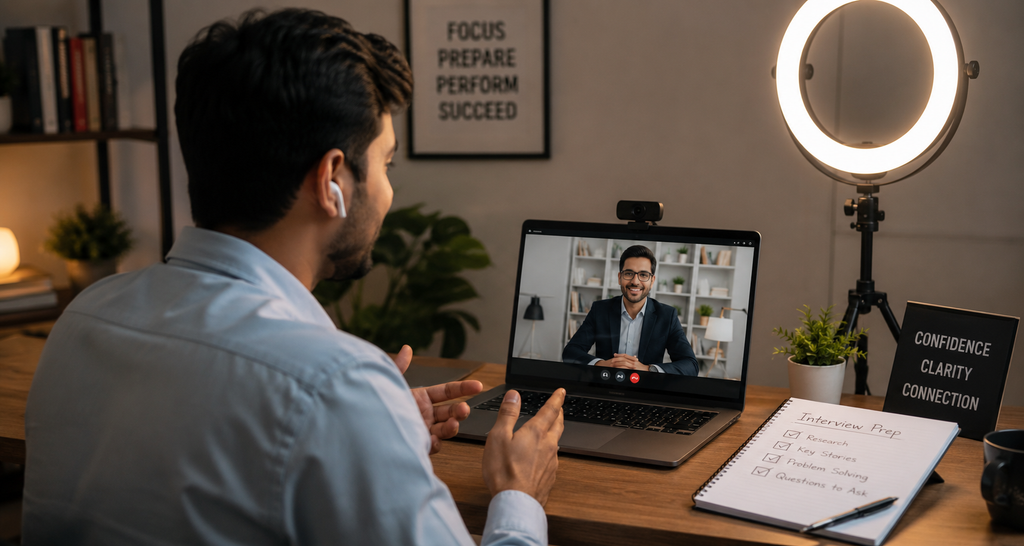
This guide covers remote-specific interview prep — camera framing, eye contact with a lens instead of a face, lighting, and pacing on a call. It does not cover how to structure a strong STAR-method answer or how to negotiate an offer once you get one.
What Makes a Remote Interview Different From an In-Person One
Readers in this situation typically report the same complaint: they feel like a different, worse version of themselves on camera than they are in a room. That’s not imagination. A 2021 Stanford study on video-call fatigue, led by researcher Jeremy Bailenson and published in Technology, Mind, and Behavior, found that sustained close-up video conversation creates cognitive load that in-person conversation doesn’t — the brain processes a face filling the screen as an unusually intense, unnaturally close social signal. An interviewer isn’t just evaluating your answer. They’re unconsciously reacting to a slightly stilted version of a normal conversation.
What most guides skip is that this cuts both ways. You’re also watching yourself, which most video platforms show by default, and that self-monitoring pulls attention away from actually listening to the question. It’s a small thing. It still shows up in delayed responses and awkward pauses that read as unpreparedness.
video interview practice tools exist precisely to interrupt this loop before it happens live, in front of someone deciding whether to hire you.
Learn more about video interview practice and how structured answer techniques like the STAR method can help you give clearer, more confident interview responses.
The Camera-Presence Gap Most Interview Prep Ignores
Here’s the part that surprised us researching this: nearly every widely used interview-prep tool scores what you say. Almost none score how you appear while saying it. That’s a real gap, not a nitpick — remote interviewers form impressions from framing, eye line, and pacing within the first minute, before content differentiation even kicks in.
I’ve seen conflicting advice on eye contact specifically — some career coaches say maintain constant eye contact with the lens the entire time, others say that reads as unnatural and recommend breaking eye contact periodically, the way you would in person. The more defensible read, based on how people actually watch video, is the second one: glance at the lens when you’re making a key point, and let your eyes move naturally the rest of the time. Constant lens-staring looks more like a hostage video than confidence.
delivery-focused interview coaching is where this gap gets addressed directly, and it’s a meaningfully different category from content-scoring tools.
Remote video interviews are judged on more than answer content — eye contact with the camera, lighting, and pacing all factor into a recruiter’s impression, which is why delivery-focused practice tools matter for this format specifically.
Best Interview Practice Apps for Remote Interviews, Compared
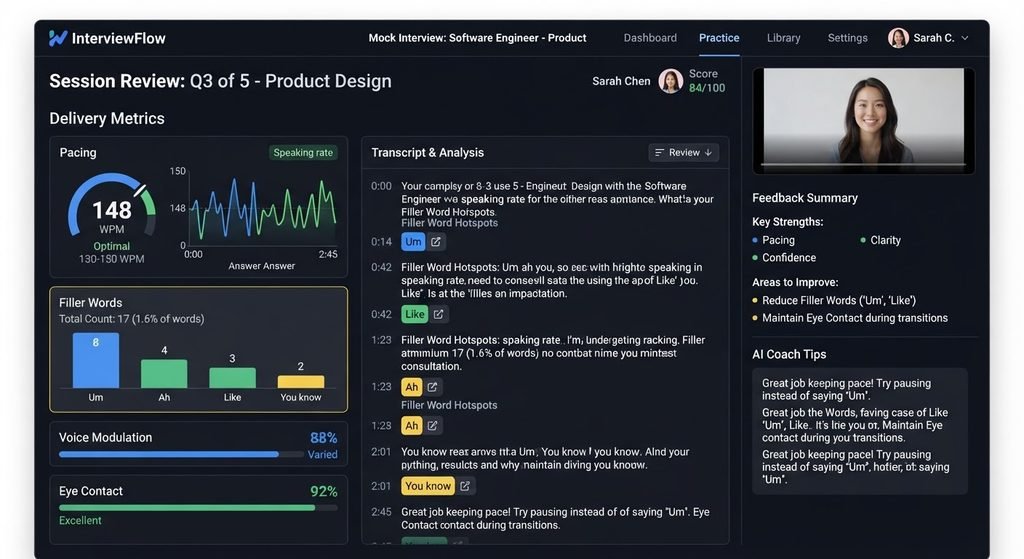
Yoodli is commonly recommended for delivery and speech coaching specifically, separate from content scoring — it analyzes filler words, pacing, and eye-contact patterns from a recorded video, which maps directly onto what a remote interviewer is actually watching for. Google’s Interview Warmup takes the opposite approach: it’s free, fast, and text-based in its feedback, highlighting word patterns and commonly used terms in your answers, with no camera analysis at all.
Neither tool alone covers the full picture. Users who’ve tried stacking both report a workable workaround: run content practice through <u>an AI mock interview platform</u> first, then record the same answers on video and review delivery separately.
Read our complete guide to an AI mock interview platform to compare the top options, key features, and what to look for when choosing one for your interview preparation.
Quick Comparison
| Option | Best For | Key Benefit | Limitation |
| Google Interview Warmup | Practicing answer content, fast and free | AI highlights word patterns and repeated phrases | No camera or video feedback at all |
| Yoodli | Delivery, pacing, and eye-contact coaching | Analyzes filler words and eye-contact patterns on video | Free tier limits session length |
| Self-recorded phone practice | Getting used to hearing your own voice | Free, zero setup required | No objective feedback; hard to self-assess lighting or framing |
| remote-specific mock call simulators | Practicing inside a Zoom-like interface | Mimics real call framing, screen-share prompts, and lag | Newer category; fewer established options |
Explore remote-specific mock call simulators to find tools designed to help you practice the unique challenges of remote interviews.
How to Practice for a Remote Video Interview in Under a Week
To prepare for a remote video interview, follow these steps:
- Test lighting and camera angle beforehand.
- Practice looking at the lens, not the screen.
- Record a full mock session.
- Review pacing and filler-word use.
- Confirm your connection and backup plan.
Do this once, two or three days out, and once more the night before. Not the morning of — you want the muscle memory settled, not fresh and nervous.
remote interview coaching apps tend to bundle steps 2 through 4 into one recorded session, which saves time if you’re short on it. If you’re not, doing them separately gives you more targeted feedback on each.
See our breakdown of remote interview coaching apps to compare the features, feedback, and practice options that can help you prepare more effectively.
Most AI interview tools focus on scoring what a candidate says; fewer address the specific mechanics of appearing confident on a webcam, a gap that remote-specific practice tools aim to close.
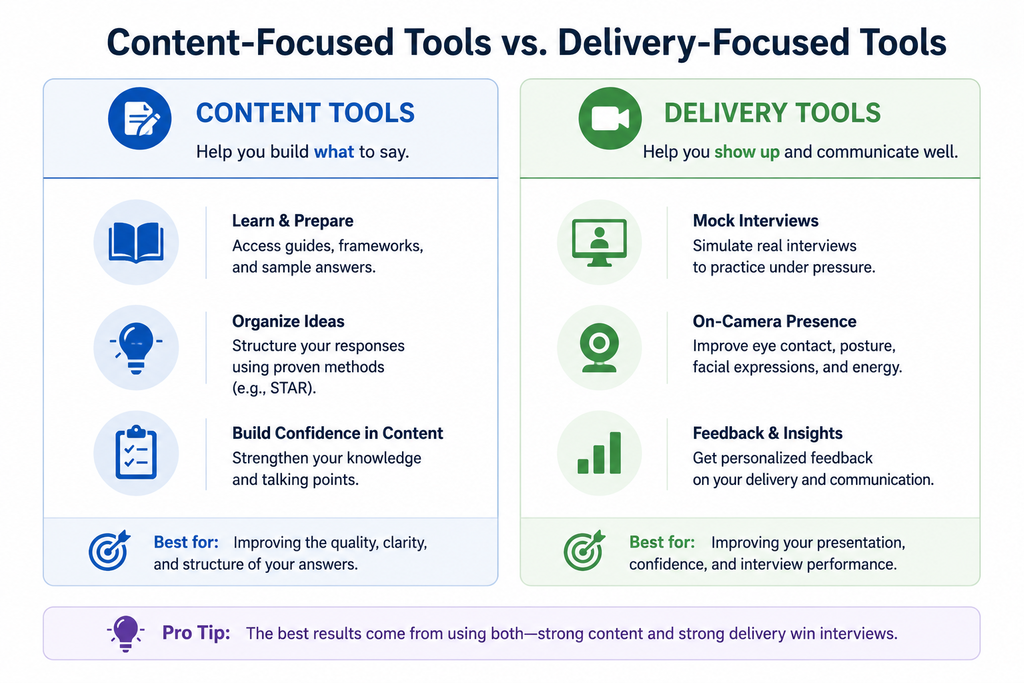
Content-Focused Tools vs. Delivery-Focused Tools
Content-focused tools work better for practicing what to say because they’re built to evaluate structure, relevance, and word choice against common interview questions. Delivery-focused tools are stronger when practicing how you say it on camera, since they’re built to catch eye contact, pacing, and filler words instead. Key difference: answer substance versus on-camera presence.
To be fair to the content-first camp, plenty of recruiters still weight what you say more heavily than how you say it, especially for technical roles where precision matters more than polish. That’s a real position, and it’s not wrong for every interview. It’s just incomplete for a remote one, where presence problems can obscure a genuinely strong answer before the recruiter fully registers its content.
Common Remote Interview Mistakes and How to Fix Them
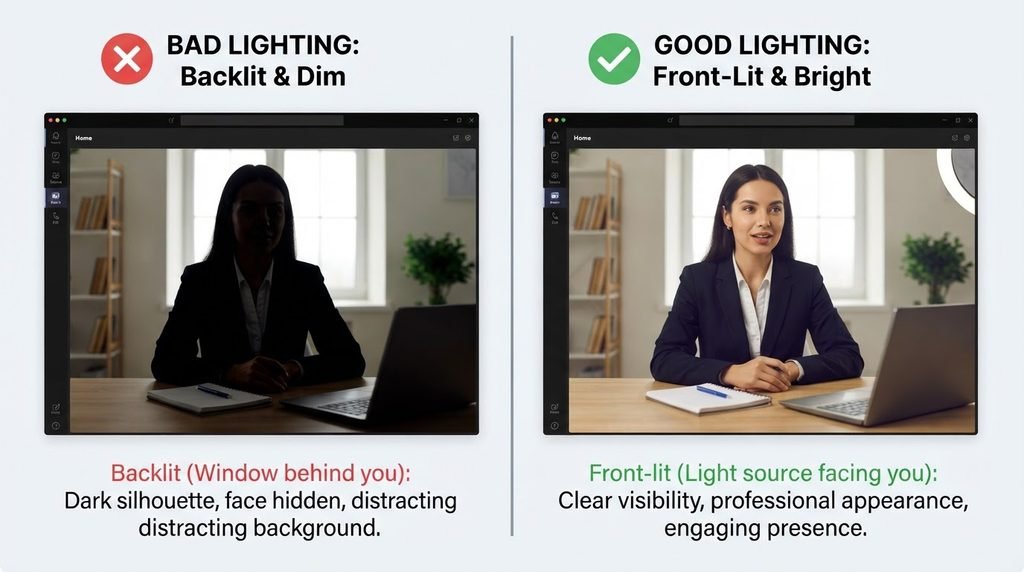
Sitting with a window behind you. Looking at your own video feed instead of the lens. Rushing answers because silence on a call feels louder than silence in a room. These show up constantly, and they’re all fixable in one practice session.
camera framing and eye contact issues are the ones candidates notice least in themselves and recruiters notice most. It’s worth a second look before your next call — actually, before every call, since setups shift when you move rooms or the season changes and daylight through your window does something different at 9am versus 4pm.
Learn how to improve camera framing and eye contact with practical remote job interview etiquette tips that help you look professional, engaged, and confident on screen.
Quick Answers About Remote Interview Prep
Q: How is a remote interview different from an in-person one?
A: Remote interviews add on-camera factors like eye contact, lighting, and connection stability that don’t apply in person.
Q: Should I look at the camera or the screen during a video interview?
A: Look at the camera lens periodically to simulate eye contact, since looking at the screen reads as looking away.
Q: What’s the best tool for practicing video interview delivery?
A: Yoodli is commonly recommended for delivery and speech coaching specifically, separate from content scoring.
Q: How do I fix bad lighting for a video interview?
A: Face a light source rather than sitting with it behind you, and test your setup on camera beforehand.
Q: Should I have a backup plan if my connection drops?
A: Yes — have the interviewer’s phone number or a backup call method ready in case of technical issues.
Testing equipment and environment before a remote interview — lighting, camera angle, and connection stability — reduces avoidable technical issues that can undermine an otherwise strong interview.
Getting Camera-Ready Before Your Next Call
None of this replaces strong answers. It sits next to them. A candidate with a sharp answer and a washed-out, off-center camera feed is competing against a candidate with the same answer and a setup that doesn’t get in the way — and remote hiring is close enough, often enough, that the second candidate wins the tiebreak.
This works best for scheduled video interviews where you know the format in advance. It won’t help much for a surprise phone-to-video switch with no setup time, though even then, knowing what “good” looks like means you’ll adjust faster than someone who’s never checked.
For a deeper look, see our guide to finding roles and tailoring a resume for remote-first companies to improve your chances of finding legitimate remote job opportunities.