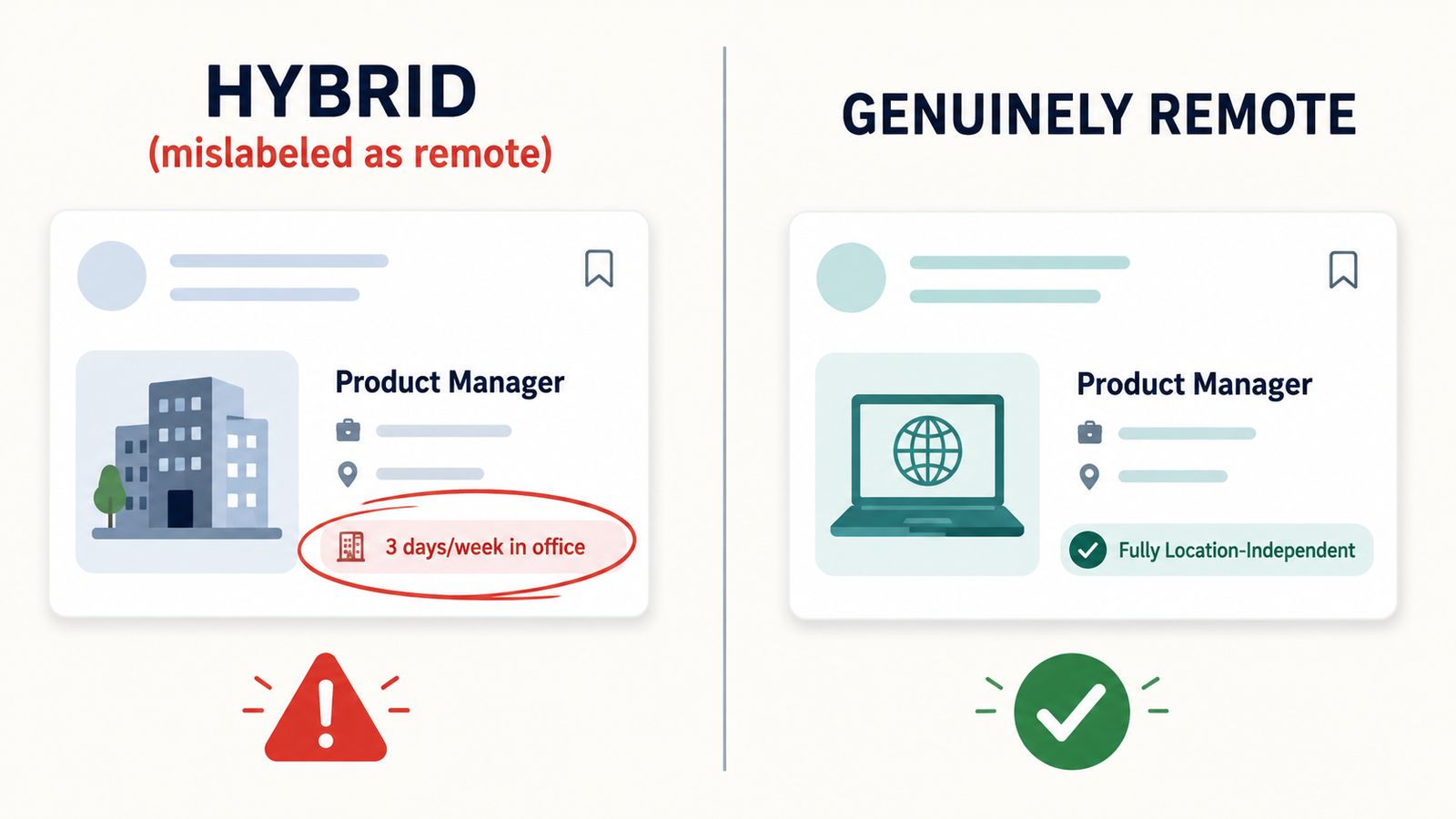
Best AI tools for finding remote jobs are platforms that scan and score listings specifically for location-independence, filtering out hybrid roles mislabeled as remote and flagging postings that show signs of being scams. That single filtering step — not the size of the job database — is what separates a useful tool from a bigger, noisier version of Google.
This guide covers AI-powered platforms for remote job search, ranked by how rigorously each one verifies that “remote” actually means remote. It does not address freelance marketplaces like Upwork or general-purpose job boards where remote is a filter rather than the core product.
Here’s the short version, if you’re skimming on your phone between interviews: raw listing volume is a vanity metric. Read our complete guide to avoiding remote job scams to learn how to spot fake job postings, suspicious recruiters, and common red flags before applying.
Why “Remote” Listings Keep Turning Out to Be Hybrid
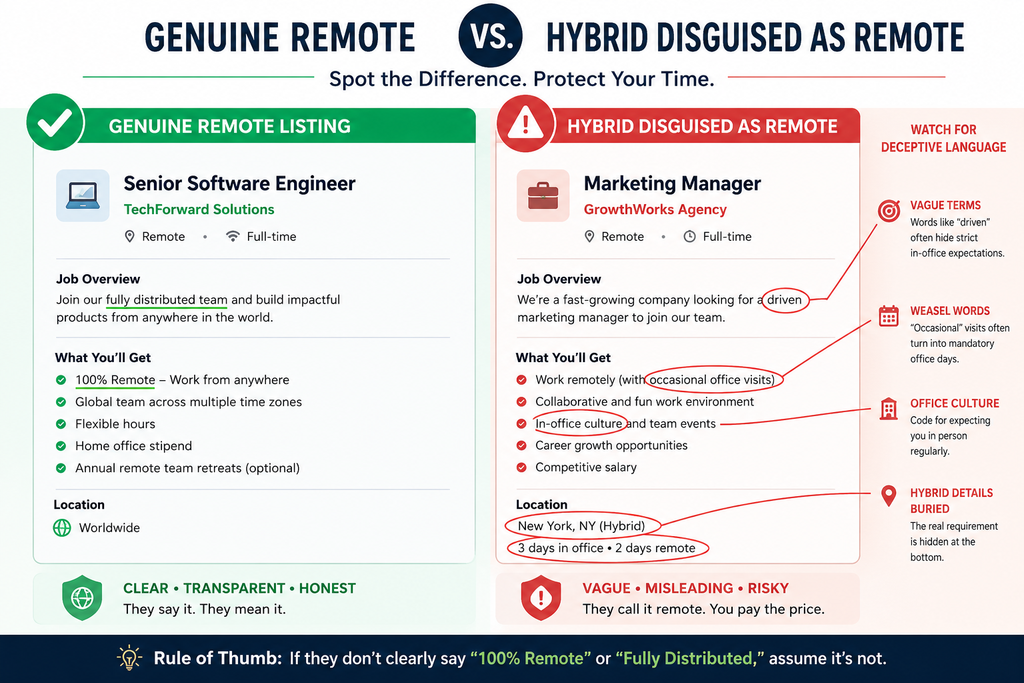
Finding a genuinely remote job in 2026 requires filtering out hybrid roles mislabeled as remote, a problem AI-powered platforms increasingly address through stricter listing verification. Most job boards let employers self-tag their own postings.
Nobody checks the box for them. That’s the whole issue in one sentence.
A hiring manager writes “remote-friendly,” means “come in twice a month,” and the listing lands in your remote search results anyway, because the platform never verified the claim against the company’s actual policy. Users who’ve tried generic search engines for this often report the same pattern: the first page of results looks promising, and then three of the top five postings turn out to require relocation or weekly office days once you open the fine print.
What most guides skip is that the mislabeling usually isn’t malicious — it’s a taxonomy problem, not a scam problem. The scam problem is separate, smaller, and more dangerous, which is why fake job posting red flags deserve their own section further down.
How to Find Legitimate Remote Jobs With AI Tools
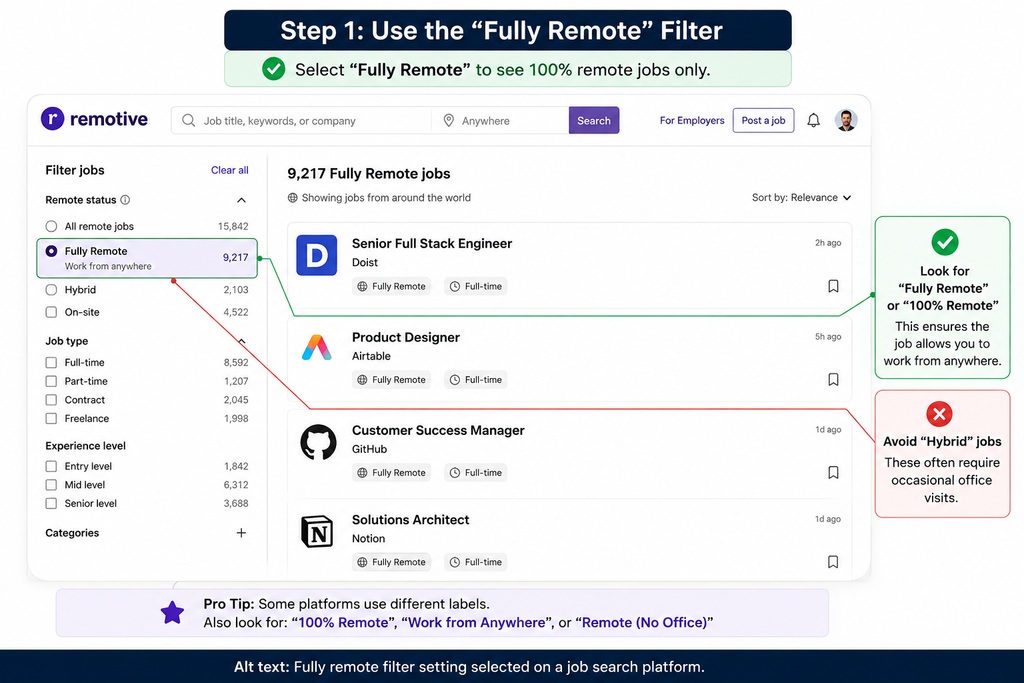
To find legitimate remote jobs with AI tools, follow these steps:
- Filter for “fully remote,” not “hybrid.”
- Cross-check the company’s own careers page.
- Use a platform with active scam filtering.
- Verify pay is never requested upfront.
- Confirm the timezone requirement matches your own.
None of these steps take more than two minutes each. Skipping step two is the single most common mistake — a listing can pass every automated filter a platform runs and still be outdated, duplicated, or quietly closed, so a manual glance at the employer’s actual site catches what the algorithm won’t.
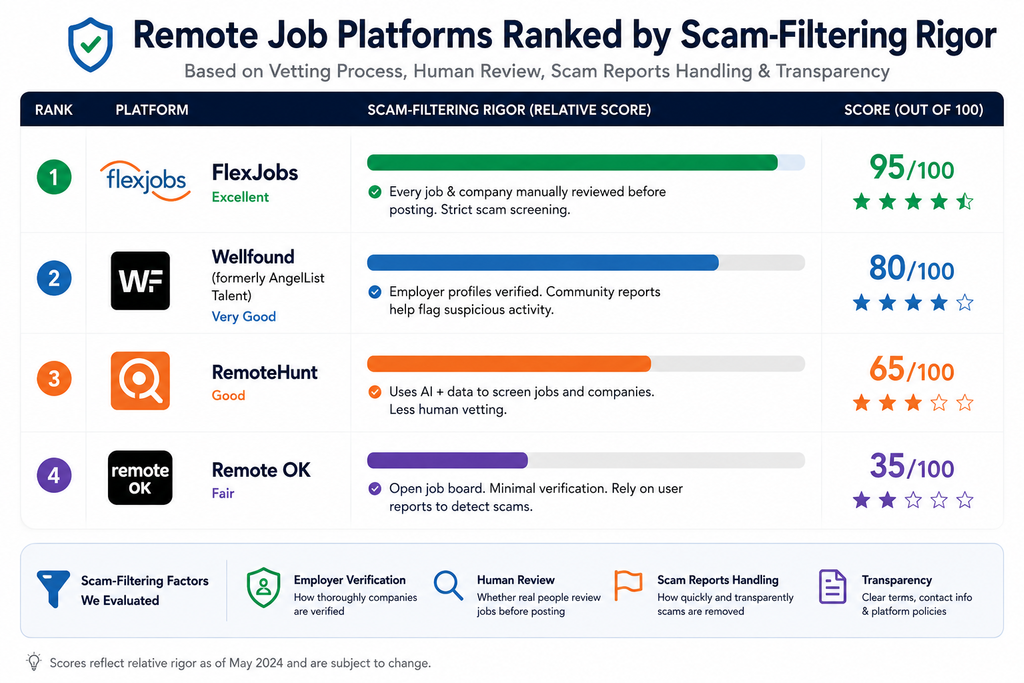
Best AI Tools for Finding Remote Jobs, Ranked by Scam-Filtering Rigor
Scam awareness matters more in remote job search than in-person search, since remote roles are harder to verify; platforms with manual or AI-assisted vetting reduce that risk. That’s the ranking logic here — not who has the most listings, but who works hardest to keep bad ones out.
Quick Comparison
| Option | Best For | Key Benefit | Limitation |
| FlexJobs | Hand-vetted listing quality | Every posting is manually screened before it goes live | Paid subscription required |
| Wellfound | Startup and equity-based remote roles | Direct founder contact, transparent salary bands | Fewer enterprise or corporate roles |
| RemoteHunt | AI-scored matching against your resume | Ranks listings by fit, not just by keyword match | Newer platform, smaller historical dataset |
| Remote OK | High-volume browsing | Large, frequently updated listing pool | Lighter vetting than paid alternatives |
FlexJobs screens every listing by hand before publishing it, which is expensive to run and shows in the near-total absence of hybrid-mislabeled postings — the trade-off is a subscription fee most competitors don’t charge. Wellfound leans startup-heavy, and its equity transparency is genuinely useful if you’re weighing offers, though the corporate and enterprise remote-role coverage is thinner than FlexJobs or Remote OK. Track your remote applications in one dashboard once you’re applying across two or three of these at once, because the overlap in listings is bigger than most people expect.
Explore the best tools to track your remote applications in one dashboard and keep your job search organized from application to follow-up.
RemoteHunt is the newer entrant of the group, and it’s built its whole pitch around AI-scored resume matching rather than manual review. I’ve seen conflicting data on how well AI scoring performs against manual vetting — some comparisons put automated scam detection nearly on par with human screeners, others show it still missing the same social-engineering red flags a trained eye catches instantly. The most defensible read is that AI scoring is excellent at ranking legitimate roles by fit and still weaker than manual review at catching deliberate fraud.
Remote OK wins on raw volume and update frequency, and if you’re doing wide, fast browsing early in a search, that’s genuinely valuable. Its scam filtering is lighter than FlexJobs’ manual model, though, so pair it with the five-step check above rather than trusting the filter alone.
FlexJobs vs. RemoteHunt: Which One Should You Actually Use
FlexJobs vs. RemoteHunt: FlexJobs works better for hand-vetted listing quality since every posting is manually screened. RemoteHunt is stronger when you want AI-scored matching against your specific resume. Key difference: manual vetting versus AI scoring.
If you’re early in a search and mainly worried about scams, FlexJobs is the safer default. If you already trust the listings you’re seeing and just want them ranked by how well they fit your background, RemoteHunt’s scoring does that job that FlexJobs doesn’t attempt.
Red Flags AI Tools Still Miss
According to 2026 remote-work platform comparisons, the strongest tools combine wide listing aggregation with active scoring against a candidate’s resume, rather than just listing volume. Even the best of them, though, won’t catch everything.
No automated filter reliably flags an interview conducted entirely over text message, and that’s a common early sign of a fake offer.
For more information, see the Federal Trade Commission’s job scam guidance, which explains common warning signs such as text-only interviews and requests for upfront payments.
The FTC’s job scam guidance (2025) lists both of those patterns among the most common indicators reported by victims, alongside offers extended without any live conversation at all.
A quick, honest caveat: no platform on this list is perfect, and treating any single tool as a full scam shield is the mistake that trips people up most. Use the platform’s filtering as a first pass, then run your own five-step check from the section above on anything that makes it through.
Common Questions About AI Remote Job Tools
Q: How do I know if a remote job listing is real?
A: Cross-check it on the company’s own careers page and be wary of any posting requesting payment upfront.
Q: What’s the best site for fully remote jobs?
A: FlexJobs and Remote OK are commonly recommended for genuinely location-independent listings.
Q: Why do some “remote” jobs turn out to be hybrid?
A: Many platforms let employers self-label listings, so filtering doesn’t always catch hybrid roles marketed as remote.
Q: Should I pay for a remote job search platform?
A: Only if the paid tier offers meaningfully better vetting or scam filtering than free alternatives.
Q: Do AI tools score remote job fit differently than in-office roles?
A: Yes — strong tools also weigh timezone overlap and remote-work experience, not just skills match.
Where This Leaves You
Pick based on what you’re actually worried about right now. If it’s scams, start with FlexJobs. If it’s fit and speed, RemoteHunt’s scoring earns its place. Either way, run the five-step check yourself — no tool, however good, replaces that.
Confirm your timezone requirement matches your own schedule before you apply anywhere; it’s the detail rejected candidates most often say they wish they’d checked first.
See our breakdown of how to make sure a timezone requirement matches your own schedule before applying to remote jobs with specific working-hour requirements.