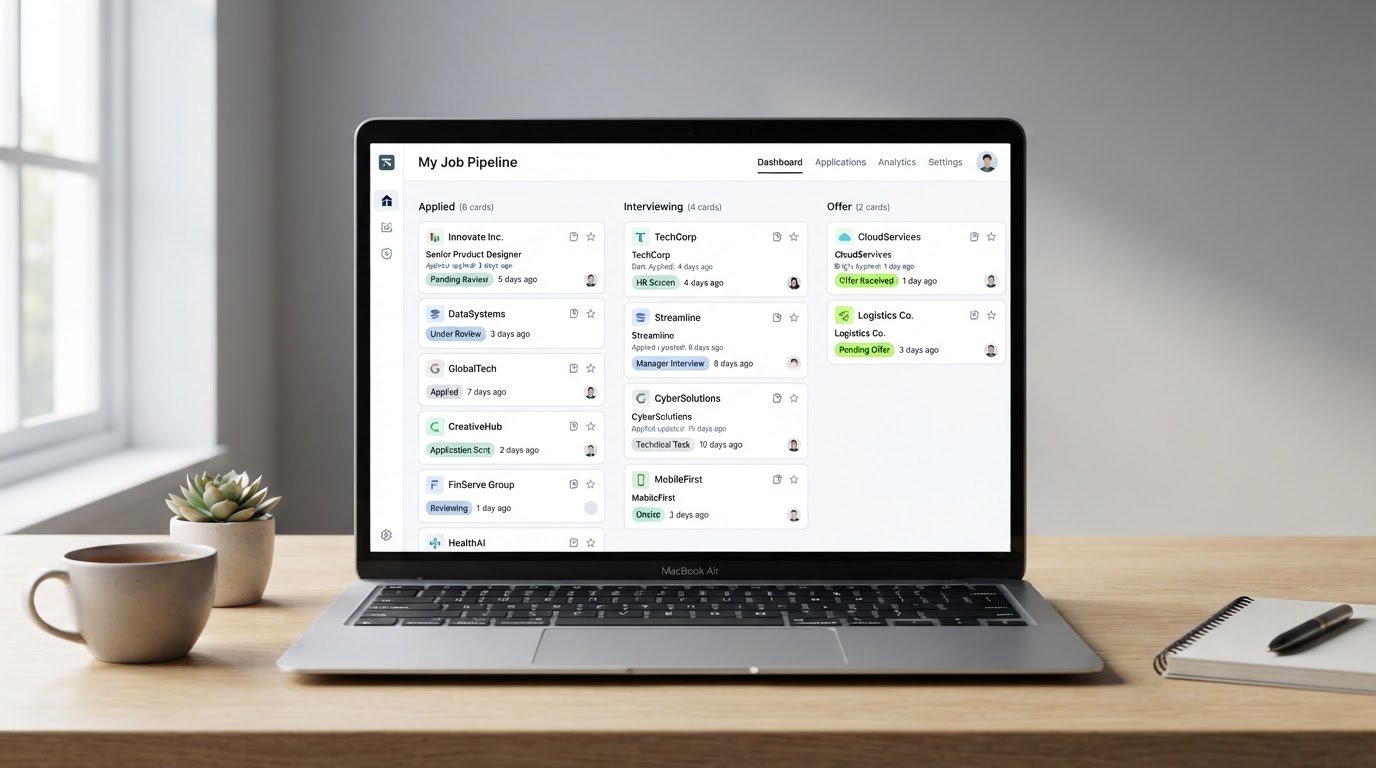
Job Application Trackers That Actually Replace Your Spreadsheet
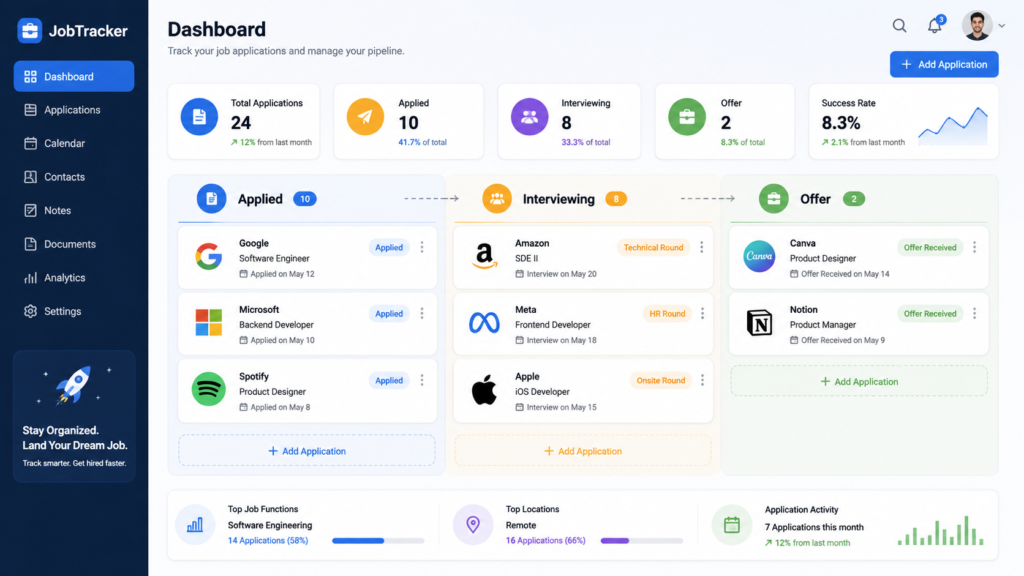
A job application tracker is software that logs every role you’ve applied to — status, dates, contacts, and which resume version you sent — in one dashboard instead of a spreadsheet you update by hand. That distinction matters more than it sounds. Spreadsheets store data. Trackers act on it.
Readers in this situation typically report the same failure point: not forgetting to apply, but forgetting to follow up. A spreadsheet doesn’t ping you on day seven. It doesn’t flag that you used your “data analyst” resume for a job that actually wanted a “data engineer.” That gap is where most trackers earn their keep — or don’t.
This guide covers dedicated job application tracking software, evaluated specifically on how well it connects to resume versioning, follow-up automation, and pipeline visibility. It does not address general career coaching platforms, LinkedIn optimization tools, or salary negotiation software — those are separate categories with their own tradeoffs.
Job seekers who submit applications across multiple roles simultaneously benefit most from a dedicated system. Bureau of Labor Statistics research, echoed across several 2025–2026 labor-market analyses, shows candidates who apply steadily and strategically — rather than in scattered bursts — tend to convert at higher rates than those who either under-apply or mass-apply without tracking anything. Volume alone isn’t the variable. Organization is.
Job application trackers replace manual spreadsheets by centralizing status, dates, and resume versions in one dashboard, reducing missed follow-ups during an active search.
Why Spreadsheets Stop Working Past 10 Applications
Spreadsheets are fine at first. Five applications, ten — a color-coded tab handles it.
Then round eleven hits, and things get messy. You forget which resume went where. Two recruiters call about roles you’d half-forgotten submitting. A follow-up window closes because nothing reminded you it existed.
Users who’ve tried spreadsheet-based tracking often describe the same tipping point: the sheet stops being a system and becomes a chore they resent updating. That resentment is the actual reason spreadsheets get abandoned mid-search — not laziness, just friction. A job search tracker app removes the manual entry step almost entirely by pulling job details straight from the listing URL. It’s a small change. It saves more time than people expect.
What most guides skip is this: the real cost of a spreadsheet isn’t the setup — it’s the maintenance. Nobody quits a tracker because building it was hard. They quit because updating it every day, for weeks, wears them down.
Read more about how a job search tracker app compares with traditional spreadsheets and discover which option helps you organize applications more effectively as your job search grows.
The Feature Most Reviews Miss: Resume Version Linking
Most tracker comparisons rank tools on board aesthetics — drag-and-drop columns, color themes, how satisfying the kanban view feels. That’s not nothing. It’s also not the workflow pain point that actually costs job seekers offers.
Here’s the real issue. A tailored resume only helps if you can prove — and remember — which version went to which employer. Send the wrong one to a follow-up email, or bring the wrong one to an interview, and you’ve undercut weeks of tailoring work.
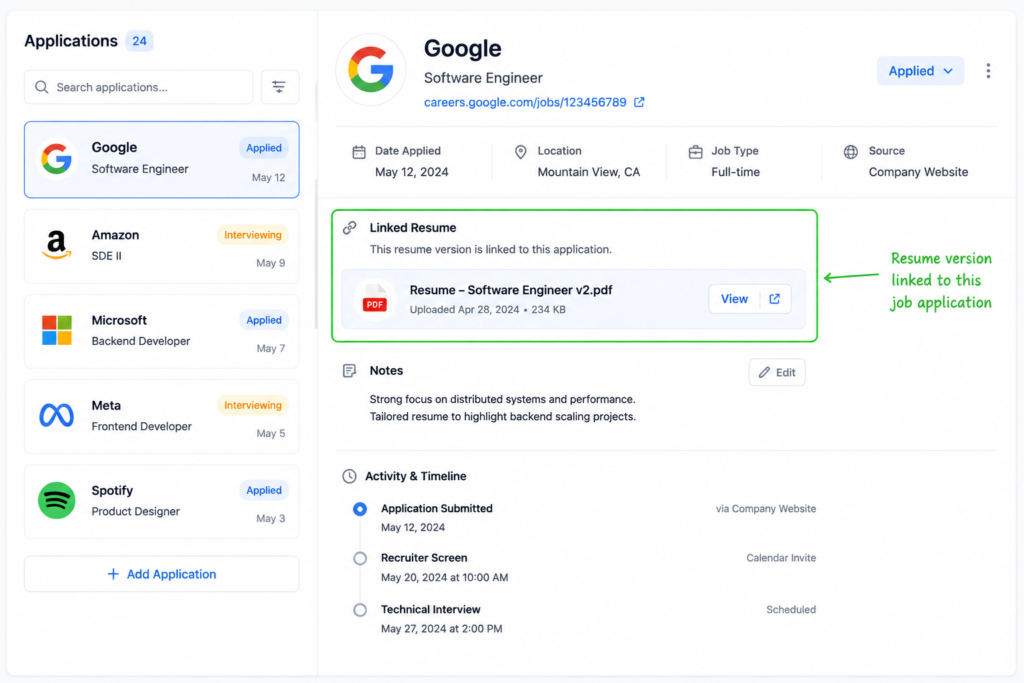
Resume version linking is the feature that solves this: every logged application ties directly to the exact resume file submitted for it, so nothing gets orphaned. Few review sites test for this specifically. That’s the gap this guide is built to close.
The most useful trackers in 2026 link directly to a resume builder, so each application stays tied to the exact tailored resume version submitted for it. That’s a small architectural choice with a large downstream effect: it turns “which resume did I send them” from a guessing game into a lookup.
I’ve seen conflicting opinions on how much this actually matters day-to-day — some job seekers say a simple filename convention does the job just fine. The more defensible read, though, is that filename systems break down exactly when you need them most: mid-interview, under pressure, scrolling a downloads folder while a recruiter waits on the line.
Teal vs. Huntr: Which Tracker Fits Your Search
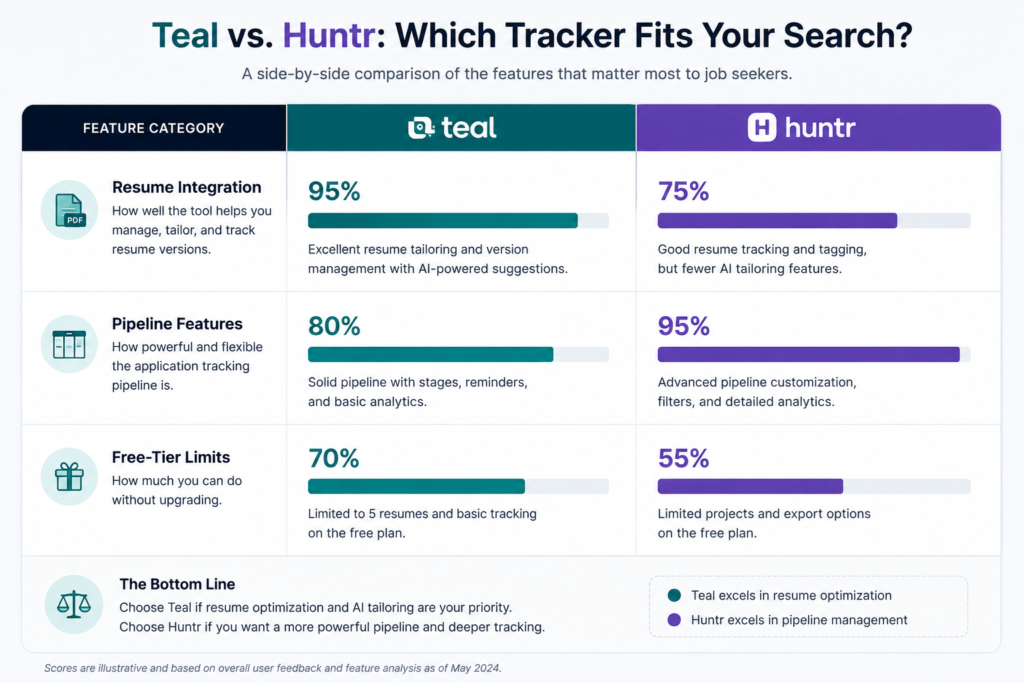
Teal and Huntr dominate this category for good reason — both are purpose-built, both integrate a Chrome extension for one-click job logging, and both go well beyond what a spreadsheet can do.
They’re not interchangeable, though.
Teal vs Huntr: Teal works better when you want tracking bundled with an AI resume builder inside the same tool. Huntr is stronger for a broader feature set across the full pipeline, including networking and interview prep modules. Key difference: integrated builder versus broader pipeline tooling.
Quick Comparison
| Option | Best For | Key Benefit | Limitation |
| Teal | Job seekers who want tracking + resume building in one place | Resume versions auto-link to each logged application | Fewer standalone networking features |
| Huntr | Job seekers managing a wide, multi-stage pipeline | Broader toolkit covering contacts, notes, and interview stages | Resume tailoring lives in a separate flow, not as tightly integrated |
| Spreadsheet (Excel/Notion) | Very light search volume, under 5 open applications | Free, fully customizable | No reminders, no automatic resume linking, breaks down at scale |
To be fair to the spreadsheet camp: for someone applying to three or four roles, a simple sheet is genuinely enough. The overhead of setting up dedicated software isn’t worth it at that volume. Past ten open applications, though, the math flips — the time spent maintaining a manual sheet usually exceeds the time it took to learn a tracker.
How to Track Job Applications Step by Step
To track job applications effectively, follow these steps:
- Log every application the day you submit it.
- Note which resume version you used.
- Set follow-up reminders at 7 and 14 days.
- Track interview stages separately from initial applications.
- Review your pipeline weekly to spot stalled applications.
That fifth step gets skipped constantly. A weekly review takes ten minutes. It’s also the single habit that catches applications quietly going nowhere before three more weeks pass unnoticed.
Candidates applying to more than five roles at once benefit most from dedicated tracking software, since spreadsheet-based systems tend to break down past that volume. Below that threshold, honestly, the choice matters less.
Common Questions About Job Application Trackers
Q: Why use a job tracker instead of a spreadsheet?
A: Dedicated trackers add reminders, status pipelines, and resume-version linking that spreadsheets don’t handle automatically.
Q: Is Teal or Huntr better for job tracking?
A: Teal integrates tracking with its resume builder; Huntr offers a broader standalone feature set across the pipeline.
Q: How many applications should I track at once?
A: Most active job seekers track ten or more open applications simultaneously, which is exactly where spreadsheets tend to buckle.
Q: Should I set follow-up reminders?
A: Yes. Following up at 7 and 14 days after applying is common practice among structured job seekers, and it’s one of the easiest habits a tracker automates for you.
Q: Are job trackers free?
A: Many offer a free tier with basic tracking, gating AI features and advanced pipeline tools behind paid plans.
Getting Started With a Tracker That Actually Fits Your Search
None of this works if the tool sits unused after week one. That’s the honest risk with any new system — including this one.
Pick the tracker whose core strength matches your actual bottleneck. If forgetting which resume went where is your problem, prioritize resume version linking over board aesthetics. If you’re managing a genuinely sprawling pipeline with networking contacts and multiple interview rounds, the broader toolkit matters more than tight resume integration.
Once you’ve got the applications organized and the interviews start landing, the next bottleneck usually shows up fast: prepare for the interview once you land one, and a scattered prep process can undo all the tracking discipline that got you there.
Explore how to prepare for the interview once you land one with practical mock interview tools, realistic practice sessions, and proven strategies to help you perform with confidence.
For a side-by-side look at how resume builders themselves stack up — separate from tracking features — the AI resume builder comparison breaks down which tools produce the strongest tailored resumes in the first place.
See our breakdown of the AI resume builder comparison to discover which tools offer the best features, pricing, customization options, and AI capabilities for creating a resume that matches your job search goals.