Preparing for a job interview can be difficult, especially when you do not know what questions to expect. General questions can help, but knowing how to talk about the skills, projects, and experience described on your resume can be even more useful.
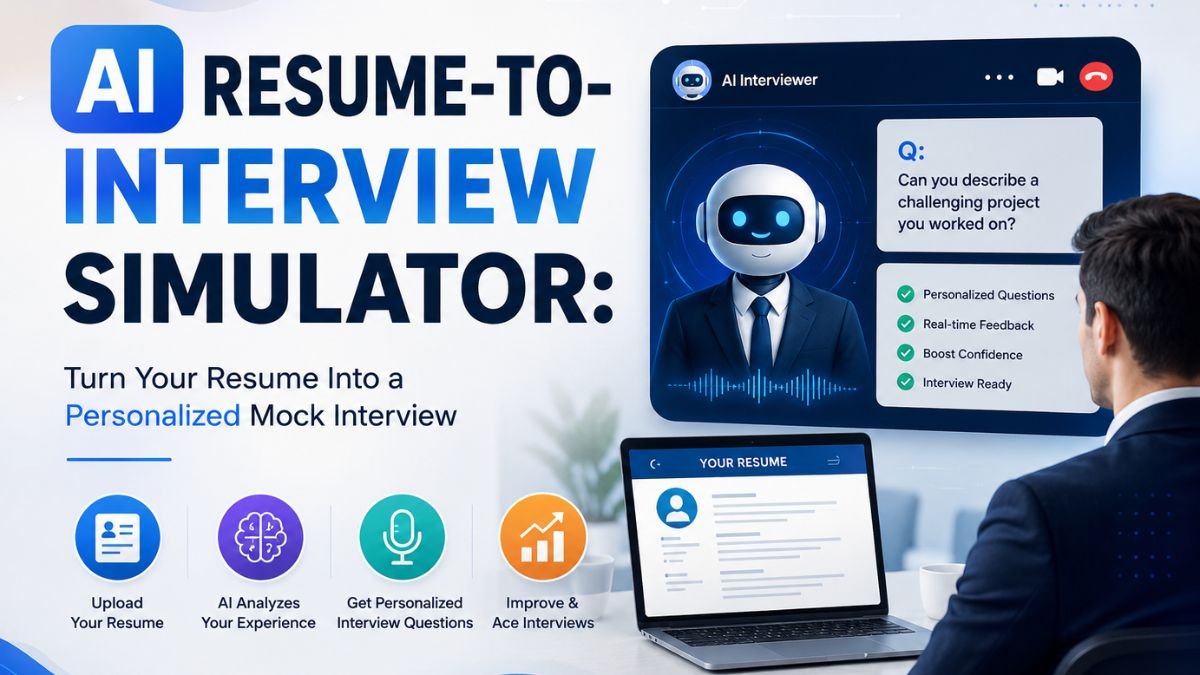
An AI resume-to-interview simulator can help by analyzing your resume and target job description and asking relevant questions based on your experience.
In this article, you will learn:
- How an AI resume-to-interview simulator works
- What types of questions it can ask
- How to use it for mock interview practice
What Is an AI Resume-to-Interview Simulator?
An AI resume-to-interview simulator is an AI tool that asks interview questions based on the information on your resume.
Instead of practicing only general questions, you can provide details about your:
- Work experience
- Skills
- Education
- Projects
- Certifications
- Achievements
- Other qualifications
You can also enter the job description so the AI can ask questions relevant to your target position.
For example, if your resume mentions a web development project, the AI can ask you to explain the project, the technologies you used, the challenges you experienced, and how you would improve it.
Why Practicing Interview Questions Based on Your Resume Is Useful
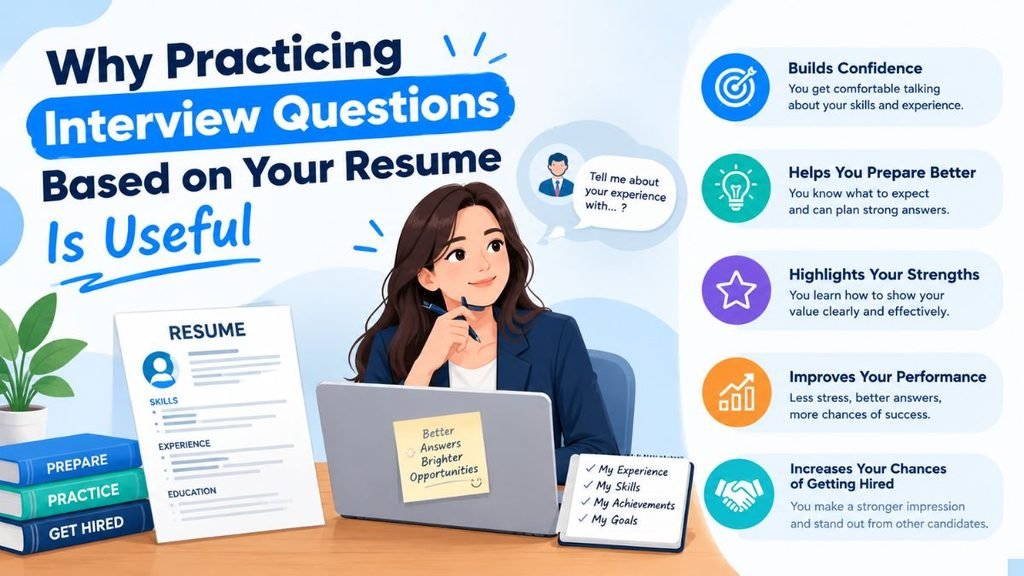
Your resume is essentially your professional history, and any detail you include can prompt an interviewer’s questions.
Using an AI resume-to-interview simulator can help you:
- Practice answering questions about your experience
- Prepare for questions about your skills
- Practice discussing your projects
- Identify weak areas that need improvement
- Avoid relying only on generic interview questions
1. Ask Questions About Your Experience
An AI resume-to-interview simulator can create questions about your previous jobs, internships, freelance work, or volunteer experience.
This allows you to practice explaining the roles and responsibilities you have had.
2. Prepare for Questions About Your Skills
If you list skills such as SEO, programming languages, or project management, AI can generate relevant questions about how you have used those skills.
3. Prepare to Talk About Your Projects
Projects can demonstrate your practical abilities. An AI simulator can ask you to describe the projects you worked on and explain the skills you applied.
4. Identify Weak Areas
If you do not know how to answer a particular AI-generated question, you can identify that topic as an area that needs more preparation.
5. Avoid Practicing Generic Questions Only
Instead of spending all your time on generic interview questions, you can practice questions specifically related to your experience and target position.
How Does an AI Resume-to-Interview Simulator Work?
Using an AI resume interview simulator is straightforward. Follow these steps:
1. Provide Your Resume
Enter the information you plan to use on your resume for the target position.
Tip: Use an updated and relevant resume so the AI can create more useful questions.
2. Enter the Job Description
Add the job description so the AI knows which skills, qualifications, and responsibilities to focus on.
3. Ask AI to Analyze Your Background
Ask the AI to analyze your:
- Experience
- Skills
- Projects
- Qualifications
and identify the information most relevant to the target position.
4. Generate Interview Questions
Ask AI to create:
- Resume-based questions
- Behavioral questions
- Technical questions
- Job-specific questions
5. Answer the Questions
Answer each question one by one as if you were participating in a real interview.
The more realistic your practice is, the more useful it can be.
6. Practice Follow-Up Questions
Ask the AI to generate additional questions based on your previous answers. This allows you to practice handling follow-up questions as well.
What Questions Can an AI Resume-to-Interview Simulator Ask?
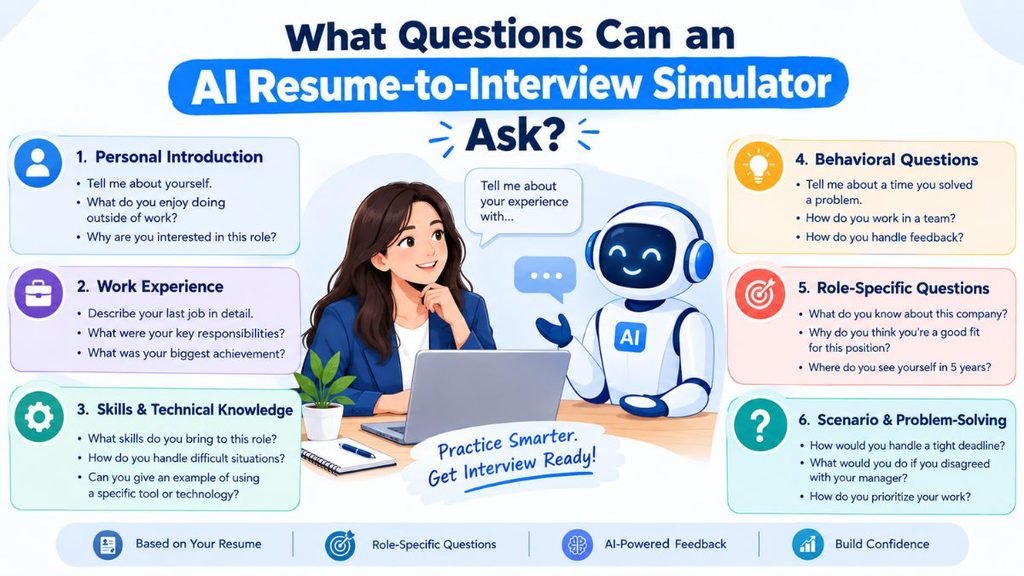
An AI resume-to-interview simulator can generate several types of questions, including resume-based, behavioral, skills-based, experience-based, job-specific, and follow-up questions.
1. Resume-Based Questions
These questions are based directly on the information provided in your resume.
Examples:
- Can you tell me about the project you mentioned on your resume?
- Describe your role in the project you worked on.
- Can you tell me about the experience mentioned on your resume?
2. Behavioral Questions
Behavioral questions help understand how you handle different situations.
Examples:
- Can you describe a challenging situation you experienced and how you overcame it?
- Tell me about a time when you disagreed with a coworker. How did you handle it?
- Describe a situation when a project did not go as planned. What did you learn from it?
3. Skills-Based Questions
These questions assess whether you have the skills required for the target position.
Examples:
- How have you used keyword research to improve a website’s ranking?
- You listed JavaScript, Python, and PHP. Can you tell me about a project where you used them?
4. Experience-Based Questions
These questions focus on your previous professional experience.
Examples:
- Can you describe the responsibilities you had in your previous positions?
- What work experience taught you an important lesson?
- What was the most challenging aspect of your previous job?
5. Job-Specific Questions
These questions are based on the job description and requirements of the target position.
They can help you prepare for questions related specifically to the role you want.
6. Follow-Up Questions
An AI simulator can also ask follow-up questions based on your previous answers.
This makes the practice session more realistic and helps you prepare for deeper interview conversations.
AI Resume-to-Interview Example
Suppose your resume includes the following:
Target Position: Junior Web Developer
Skills: HTML, CSS, JavaScript, PHP
Project: Business Website
An AI resume-to-interview simulator could generate questions such as:
- Tell me about the business website you worked on.
- What technologies did you use for the project?
- What challenges did you experience?
- How did you apply JavaScript in the project?
- How would you improve the project if you had another chance?
You can answer these questions one by one and then ask the AI to generate follow-up questions based on your answers.
How to Create a Personalized AI Mock Interview
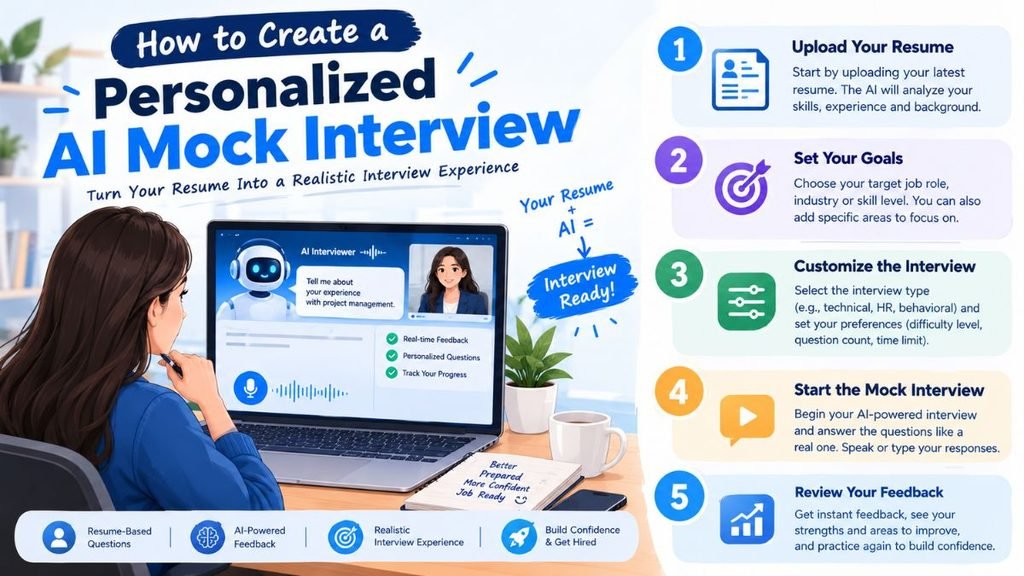
For a more customized mock interview, give the AI specific instructions.
Start with your real resume and the actual job description. Then tell the AI what type of interview you want to practice.
You can also ask it to:
- Start with simple questions
- Gradually increase the difficulty
- Ask follow-up questions
- Focus on specific skills
- Provide feedback after each answer
This can make your interview preparation more focused and realistic.
Best Prompt for an AI Resume-to-Interview Simulator
You can use this prompt:
Act as a professional interviewer. Review my resume and the job description below. Create a personalized mock interview based on my work experience, skills, projects, and the requirements of the target position. Ask resume-based, behavioral, technical, and job-specific questions, followed by realistic questions after each answer. Do not make up any information that is not on my resume. Finally, give me feedback and identify weak areas that need improvement.
You can customize the prompt by adding the job title, specific skills, or the type of feedback you want.
Common Mistakes to Avoid When Using an AI Interview Simulator
AI can make interview preparation easier, but there are some mistakes you should avoid.
1. Using an Outdated Resume
Always provide your most updated resume so the AI can generate relevant questions.
2. Practicing Generic Questions Only
Generic questions can be useful, but combine them with resume-based and job-specific questions.
3. Memorizing Answers Provided by AI
Do not memorize complete AI-generated answers. Instead, use them as a reference to improve your own responses.
4. Adding False Information to Your Resume
Never add false or exaggerated information simply because an AI simulator suggests it.
5. Skipping Follow-Up Questions
Interviewers may ask follow-up questions about the same topic, so make sure you practice answering them.
AI Mock Interview vs. Traditional Interview Practice
| Feature | AI Mock Interview | Traditional Practice |
|---|---|---|
| Personalized questions | Yes | Depends |
| Resume-based questions | Yes | Depends on interviewer |
| Job-specific questions | Yes | Depends |
| Follow-up questions | Yes | Depends on interviewer |
| Repeat practice | Easy | Depends on partner |
| Feedback | Available | Depends on partner |
An AI resume-to-interview simulator can be a useful addition to traditional mock interview practice. Combining both approaches can give you more opportunities to practice relevant questions.
Frequently Asked Questions
Can AI generate interview questions from my resume?
Yes. An AI resume-to-interview simulator can create questions about the skills, experience, projects, education, and achievements mentioned on your resume.
Can AI simulate a real job interview?
AI can ask many questions similar to those used in interviews, but it cannot completely replace real interview experience.
Can AI give feedback on interview answers?
Yes. You can ask AI to identify your strong and weak areas and provide recommendations for improvement.
Should I use my resume and job description together?
Yes. Using both can help AI create more relevant questions based on your background and the requirements of the target position.
Is an AI mock interview enough to prepare for an interview?
An AI mock interview is a useful preparation method, but it should not be your only method. You should also research the company, understand the job description, and practice explaining your own experience.
Final Thoughts
An AI resume-to-interview simulator can turn your resume into a personalized interview practice tool. Instead of preparing only generic questions, you can practice discussing the skills, projects, experience, and qualifications that are actually relevant to your target position.
For better results, use your updated resume and actual job description, practice follow-up questions, and ask AI for feedback on your answers.
Most importantly, use AI as a practice assistant rather than a replacement for your own knowledge and experience. This can make your interview preparation more focused and help you approach the real interview with greater confidence.